

How it works
- Enter your basic request - Write naturally, as you normally would
- Click the Prompt Enhancer button - AI analyzes and expands your input
- Review the enhanced version - Check what was added
- Customize if needed - Add specific context or requirements
- Run or save - Execute immediately or save to your library
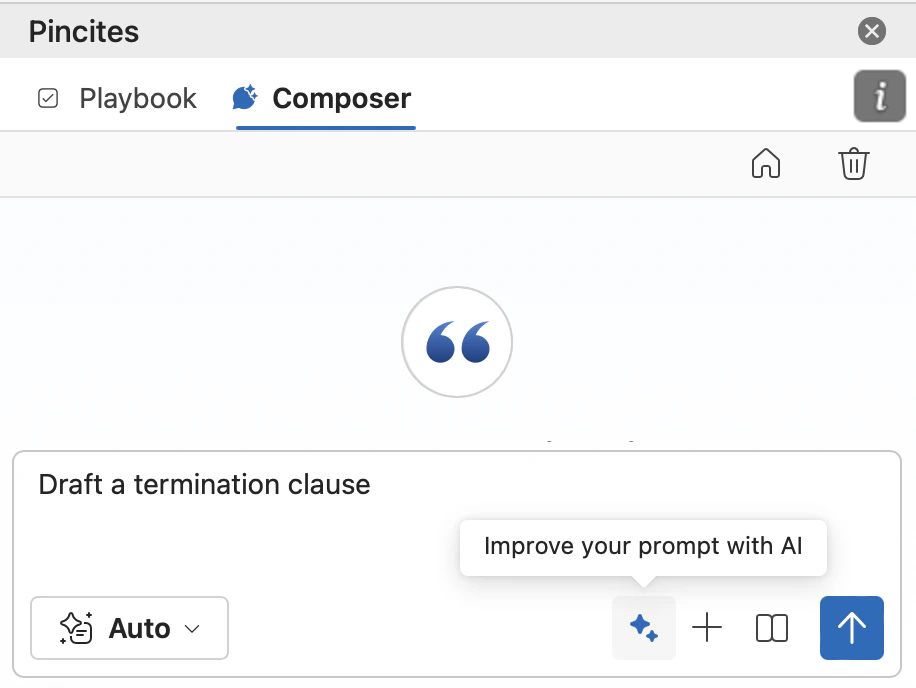
What makes enhancement powerful
Before enhancement
After enhancement
Tips for better enhancement
Start with clear intent
The clearer your initial input, the better the enhancement.Layer your context
After enhancement, add your unique situation:Use trigger words
Different starting phrases trigger different enhancement styles:- “Analyze…” → Detailed breakdown with multiple perspectives
- “Summarize…” → Concise extraction of key points
- “Compare…” → Structured comparison framework
- “Draft…” → Creation of specific documents
- “Review for…” → Targeted issue spotting
Combine with document context
The enhancer works best when it understands what you’re reviewing:Advanced techniques
The double enhancement
Run enhancement twice for complex tasks:- First pass: Basic request → Enhanced prompt
- Second pass: Enhanced prompt → Ultra-specific prompt
Context injection
Add context between enhancement and execution:Multi-document enhancement
For multiple documents, enhance separately then combine:Role enhancement
Start with a role to shape the enhancement:Best practices
Edit, don’t accept blindly
The enhancer provides a framework, but you know your specific needs:- Remove irrelevant sections
- Add company-specific requirements
- Adjust tone for your audience
- Include deal-specific constraints
Save enhanced patterns
When an enhanced prompt works perfectly:- Save it to your library immediately
- Name it descriptively
- Note what made it effective
- Reuse for similar situations
Test variations
Try different starting points for the same task:- “Review this NDA” vs “Analyze confidentiality provisions”
- “Check for risks” vs “Identify deal-breakers”
- “Summarize terms” vs “Extract key obligations”
Build enhancement chains
Link enhanced prompts for complex workflows:When not to enhance
- Already Detailed Prompts If you’ve written a comprehensive prompt, enhancement might add noise.
- Simple Yes/No Questions “Is there a liability cap?” doesn’t need enhancement.
- Tested Library Prompts Your proven prompts are already optimized.
- Time-Sensitive Quick Checks When you need a fast answer, skip enhancement overhead.